
Help your kid apply to college without taking it over.
Next Fall turns Claude, ChatGPT, Gemini or Grok into a calm, well-informed college counsellor for parents. Build a month-by-month timeline, balance the list between reach, target and likely schools, coach essays while keeping your student's own voice, get through the FAFSA and CSS Profile, and compare aid offers on the number that matters: net price.
Get Next Fall College Guide for $5 Compare offers
$5 once · card, Apple Pay or Google Pay · download in a minute
Into more than one hobby? Get all 70 hobby skills for $19, this one included.
- One-time $5
- Instant email delivery
- 14-day refund
- Works in Claude, ChatGPT, Gemini and Grok
Plan: senior year, 9 schools
2 Early Action · 7 Regular Decision · needs aid · in-state public option
3 reach, 4 target, 2 likelyFAFSA plus 2 CSS Profile schoolsStudent writes, parent schedules
- OctFile the 2027-28 FAFSA and CSS ProfileOpened in late September; uses 2025 tax infoAid
- Nov 1Early Action applications inPortal check 7 days later for missing itemsApply
- EssayDraft 3 is the student's, not oursParent notes: two questions, no rewritesCoach
- Jan 1Regular Decision for 7 schoolsAsk teachers by early NovemberApply
- AprilCompare offers on net price, not stickerGrants only; loans are not a discountDecide
Everything a good college counsellor tells parents
One skill, six jobs. Claude, ChatGPT, Gemini or Grok picks the right one from what you ask.
Timelines
Junior spring to May 1 of senior year, worked back from each school's real deadlines, Early Decision, Early Action and Regular.
A balanced college list
Reach, target and likely schools from grades, testing and fit, with at least one likely school you can afford.
Essay coaching, not ghostwriting
Brainstorm prompts, feedback questions and line-level notes. Your student writes every word.
FAFSA and CSS Profile
What each form asks, what you need ready, the 2027-28 dates, and how the Student Aid Index works.
Aid offers compared
Net price, loans and work-study sorted out, a 4-year estimate, and how to ask for an aid review.
Family conversations
Talking about money limits early, handling rejections, and how to help without hovering.
Ask it like you'd ask a counsellor at a parent night
It knows the process and the money, and keeps your student in charge of their application.
I won't rewrite it, but I can help her make it hers
Colleges want to hear a 17-year-old's voice, and an essay polished by an adult usually reads that way. Also, many colleges ask applicants to confirm the work is their own. Here's how you can help without taking over.
Three questions to ask her
- What's one moment in the garden you can still see clearly? Start there.
- What did you do or think differently because of it?
- If the admissions reader remembers one sentence about you, what should it be?
What usually fixes a flat essay
Less description of the grandmother, more of what your daughter noticed, did and changed. If she pastes her next draft, I'll give her notes on structure and clarity, and leave the words to her.
Example answer from the full skill. Your answers depend on what you ask.
Honest about college admissions
Admissions is full of myths and expensive shortcuts. Next Fall sticks to what's true.
- Never writes the essayIt coaches and gives feedback. It won't write or rewrite your student's essays.
- Net price over sticker pricePrivate colleges with big sticker prices can cost less after aid. It shows the math.
- No guaranteesSelective admissions is uncertain. It says so, and builds a list with real likely schools.
- Official dates winDeadlines and aid rules change. It reminds you to confirm on each college's site and StudentAid.gov.
Up and running in two minutes
No app to learn and nothing to install on your computer. It lives inside Claude, ChatGPT, Gemini or Grok.
Buy once
Pay $5 by card, Apple Pay or Google Pay. Your download link arrives by email in about a minute.
Add it to Claude, ChatGPT, Gemini or Grok
Upload the ZIP under Skills in Claude, or the unzipped folder in Gemini. It takes about 30 seconds. In Grok, upload the ZIP, or paste the included paste-in file into a new skill. In ChatGPT, add the included paste-in file to a Project.
Just ask
"Build our senior-year timeline." "Is this college list balanced?" "Compare these three aid offers."
Pick your app for the exact clicks
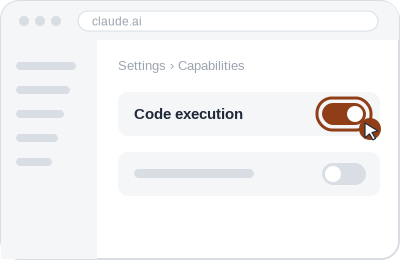
1In Settings, then Capabilities, turn on code execution.
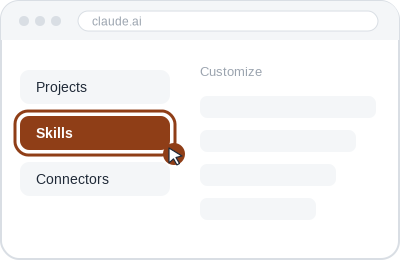
2Open Customize, then Skills.
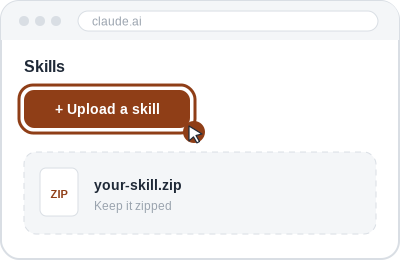
3Click +, choose Upload a skill, pick the ZIP. Keep it zipped.
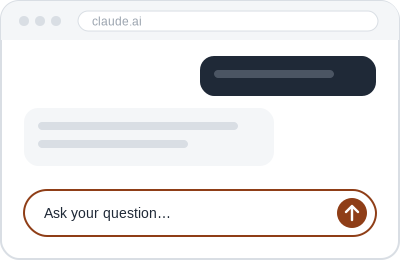
4Start a new chat and ask. Claude picks up the skill.
Works on every Claude plan, including the free one. Free plans have lower usage limits.
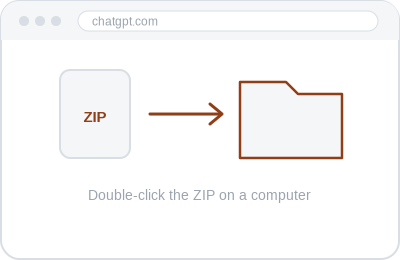
1On a computer, unzip the download and find ANY-AI-PASTE-VERSION.txt.
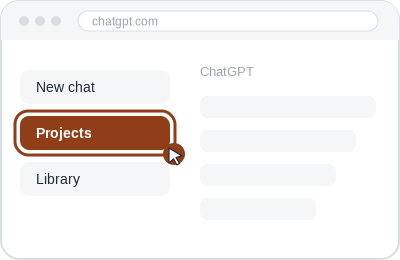
2In ChatGPT, open Projects and make a new project.
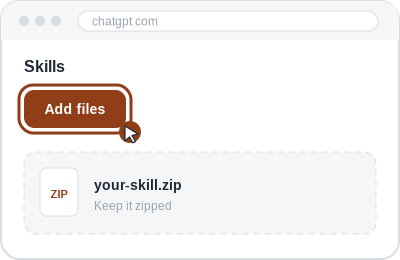
3Add the .txt file to the project. In its instructions, type: Follow the attached file.
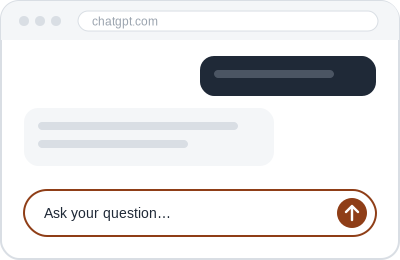
4Start a chat in that project and ask. On a Business, Enterprise or Edu plan, you can upload the ZIP under Skills instead.
Personal ChatGPT plans (Free, Plus, Pro) don't have a Skills page yet, so you use the paste-in version in a Project. On a Business, Enterprise or Edu plan, go to chatgpt.com/skills, choose Add, then Upload from your computer.
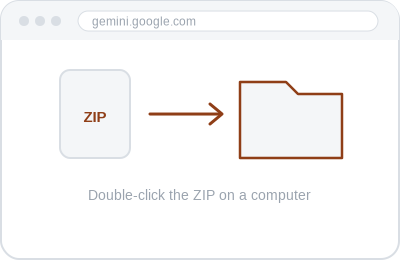
1On a computer, unzip the download. You get a folder.
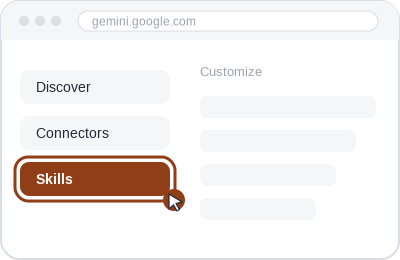
2At gemini.google.com, open Customize, then Skills.
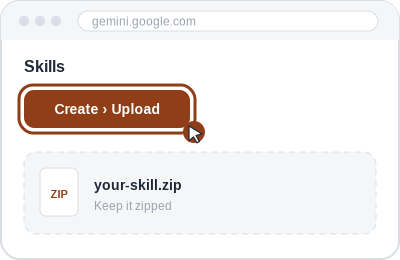
3Choose Create, then Upload, then folder. Pick the unzipped folder.
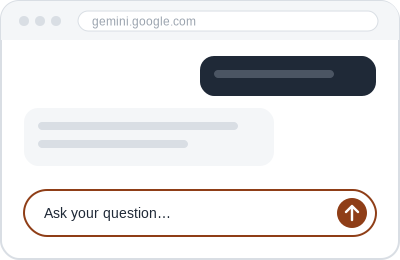
4Start a new chat and ask.
Gemini takes the unzipped folder, not the ZIP. Menus in Gemini change often, so names may differ slightly.
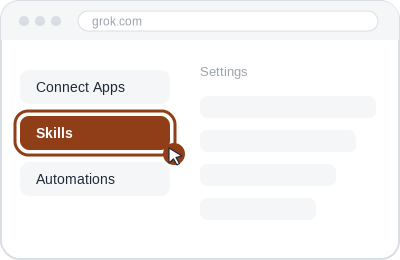
1At grok.com, open Settings, then Skills.
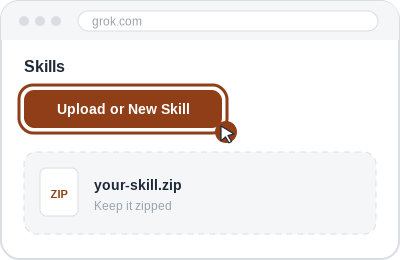
2If you see Upload, pick the ZIP. If you only see New Skill, use the next step.
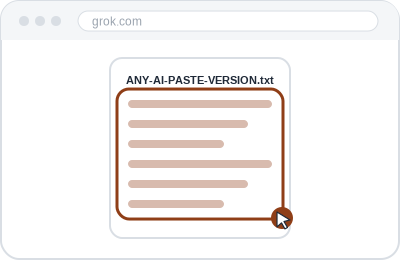
3New Skill: name it, then paste the text of ANY-AI-PASTE-VERSION.txt (below the line of equals signs) into Instructions.
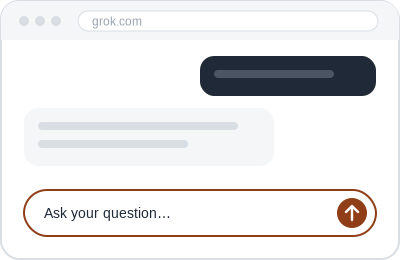
4Save it, start a new chat and ask.
Some Grok plans upload the ZIP; others show a New Skill form, where you paste the skill text in. Menus in Grok change often, so names may differ slightly.
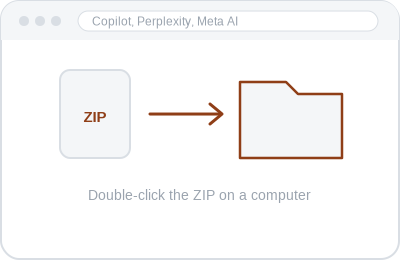
1No Skills page? Unzip the download on a computer.
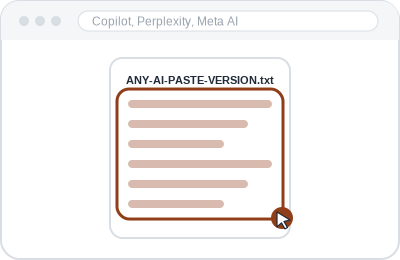
2Open ANY-AI-PASTE-VERSION.txt and copy everything.
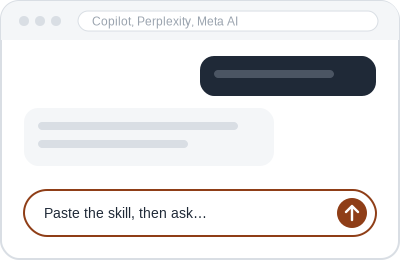
3Paste it into a new chat, then ask your question.
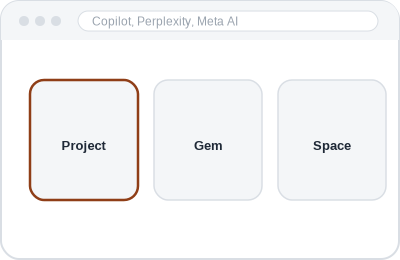
4To keep it on, add it to a ChatGPT Project, Gemini Gem or Perplexity Space.
Using Claude Code, Codex, Cursor or another coding agent? Unzip it into the skills folder, for example unzip next-fall-college-guide.zip -d ~/.claude/skills/
On your phone? Go ahead and buy: the download link goes to your email and works for a year. Adding a skill is easiest from a computer, in a web browser or the desktop app, so open that email there when you're ready. Want to try it on your phone today? Open the ZIP, copy ANY-AI-PASTE-VERSION.txt into any chat app, and ask.
Start with the free Deadline Plan
A small skill that turns your student's college list into one calendar: application deadlines, recommendation asks, essay drafts and aid form dates, in order.
- Every school's round and deadline in one list
- Dates to ask teachers and finish drafts
- FAFSA and CSS Profile reminders
Get Next Fall College Guide
Pay once, use it from junior year to decision day, and again for a younger sibling. Includes the free Deadline Plan too.
How to add it
Upload the ZIP under Skills in Claude, or the unzipped folder in Gemini (in Grok, upload the ZIP or paste the paste-in file into a new skill; in ChatGPT, add it to a Project), then start a new chat and try: "My son is a high school senior applying to 8 colleges, 2 Early Action and 6 Regular Decision. We'll need financial aid. Build us a timeline from now to May."
See the clicks for your app. Every download also comes with a paste-in version for any other chat, and a Start Here PDF.
Step-by-step guides with pictures: Claude · ChatGPT · Gemini · Grok
Next Fall College Guide
Timelines, college lists, essay coaching, FAFSA and CSS Profile, and aid offers.
$5 one time
- Month-by-month timeline from junior spring to May 1
- College list balance check and fit questions
- Essay coaching that keeps the student's voice
- FAFSA and CSS Profile walkthrough for 2027-28
- Aid offer comparison and appeal letter outline
- Notes for applying to the UK, Canada and elsewhere
- Updates for a year
Card, Apple Pay or Google Pay through Stripe. Taxes calculated at checkout. 14-day refund.
Giving it as a gift? Buy it, forward the email, and print a gift card.
See a real answer from the full skill
You ask: My daughter's essay is about her grandmother's garden. It's sweet but kind of flat. Can you just fix it?
I won't rewrite it, but I can help her make it hers
Colleges want to hear a 17-year-old's voice, and an essay polished by an adult usually reads that way. Also, many colleges ask applicants to confirm the work is their own. Here's how you can help without taking over.
Three questions to ask her
- What's one moment in the garden you can still see clearly? Start there.
- What did you do or think differently because of it?
- If the admissions reader remembers one sentence about you, what should it be?
What usually fixes a flat essay
Less description of the grandmother, more of what your daughter noticed, did and changed. If she pastes her next draft, I'll give her notes on structure and clarity, and leave the words to her.
Into more than one hobby? The Skill Pass gets you all 70 hobby skills, this one included, for $19.
New to AI skills?
Next Fall is a skill: a set of expert instructions you add to your own Claude, ChatGPT, Gemini or Grok account, so it answers like a college counsellor who knows the craft.
- Using Gemini? Unzip it and upload the folder on its Skills page. Using Grok? Under Settings, Skills, upload the ZIP or paste the paste-in file into a new skill. Using ChatGPT? Add the included paste-in file to a Project.
- New to all of them? Claude is an AI assistant made by Anthropic. Make an account at claude.ai: skills work on every Claude plan, including the free one, with code execution turned on in Settings, Capabilities.
- Try the free Deadline Plan skill first. If you like it, the full skill is one purchase.
Not ready for an AI app? The free financial aid offer comparison on this site works in any browser, no account needed.
Free college admissions tools
No sign-up, they run in your browser.
Made by Nic Hubert, What If Labs
I run What If Labs from British Columbia, Canada. I build each skill with AI help and test it on real questions, and a separate reviewer checks it before it goes on sale. If it doesn't do what this page says, email me at hello@whatiflabs.ai and I'll fix it or refund you.
No reviews yet: this store is new. Tell me how it went and I'll use it to make the skill better.
Questions
Will it write my kid's college essay?
No. It helps your student brainstorm, gives feedback and asks questions that sharpen their own draft. Admissions officers want the student's voice, and many applications ask students to confirm the work is their own.
Does it know the current FAFSA rules?
It covers the 2027-28 FAFSA, which opened in late September 2026 and uses 2025 tax information, and the CSS Profile. Rules and amounts can change, so it points you to StudentAid.gov and each college's aid office to confirm.
Can it tell us if my kid will get in?
No one can promise that. It helps you build a balanced list using each college's published admission data and your student's record, with reach, target and likely schools.
We're applying outside the US. Does it help?
It's built for US admissions, with short notes on the UK (UCAS), Canada and other countries. For those systems, it points you to the official application service and each university's site.
What do I need to use it?
A Claude, ChatGPT, Gemini or Grok account. In Claude it works on any plan, including the free one, with code execution turned on (Settings, Capabilities). Free accounts have lower usage limits, so long planning sessions go further on a paid plan. It works in Claude on the web, the desktop app and Claude Code. In Gemini and Grok, upload it on the Skills page. In ChatGPT, personal plans (Free, Plus, Pro) don't have Skills yet, so you add the included paste-in file to a ChatGPT Project; Business, Enterprise and Edu plans can upload the ZIP under Skills. Coding agents that read SKILL.md files work too. Using Copilot, Perplexity, Meta AI or another chat with no Skills page? Every download includes a paste-in version (ANY-AI-PASTE-VERSION.txt) that works in any AI chat.
What if it doesn't work for me?
Email hello@whatiflabs.ai within 14 days of buying and we'll refund you in full. No forms, no questions.
How is this different from just asking an AI?
A general AI answer is often vague or skips steps. The skill gives your AI an expert's method: what to ask you first, the checklists and calculations to run, and the mistakes to warn you about. You get consistent, specific answers instead of a different guess each time.
Do I pay every month?
No. It's a one-time price, and updates to the skill are free.
Can I get a refund?
Yes. Every purchase comes with a 14-day refund, no questions asked. Reply to your receipt email and we'll take care of it.
What if it gets something wrong?
It shows its working, so you can check numbers and dates. Tell it what's off and it will correct itself. For anything where a mistake costs money or safety, double-check before you act, as you would with any advice.
Is my information private?
The skill runs inside your own Claude, ChatGPT, Gemini or Grok account, and we never see your chats. When you buy, Stripe handles the payment and we keep your email and order so we can send the download. The terms and privacy page has the details.